
Restore Tables to a Moment
Rebuild whole tables as they were at any past second, as a .sql dump you load into MySQL. Point-in-time restore from a backup plus the recorded changes.
Your tables as they were yesterday at 14:30: the nearest backup before that time, plus every recorded change up to it, written as a mydumper dump. To undo a few rows instead: Recovery.
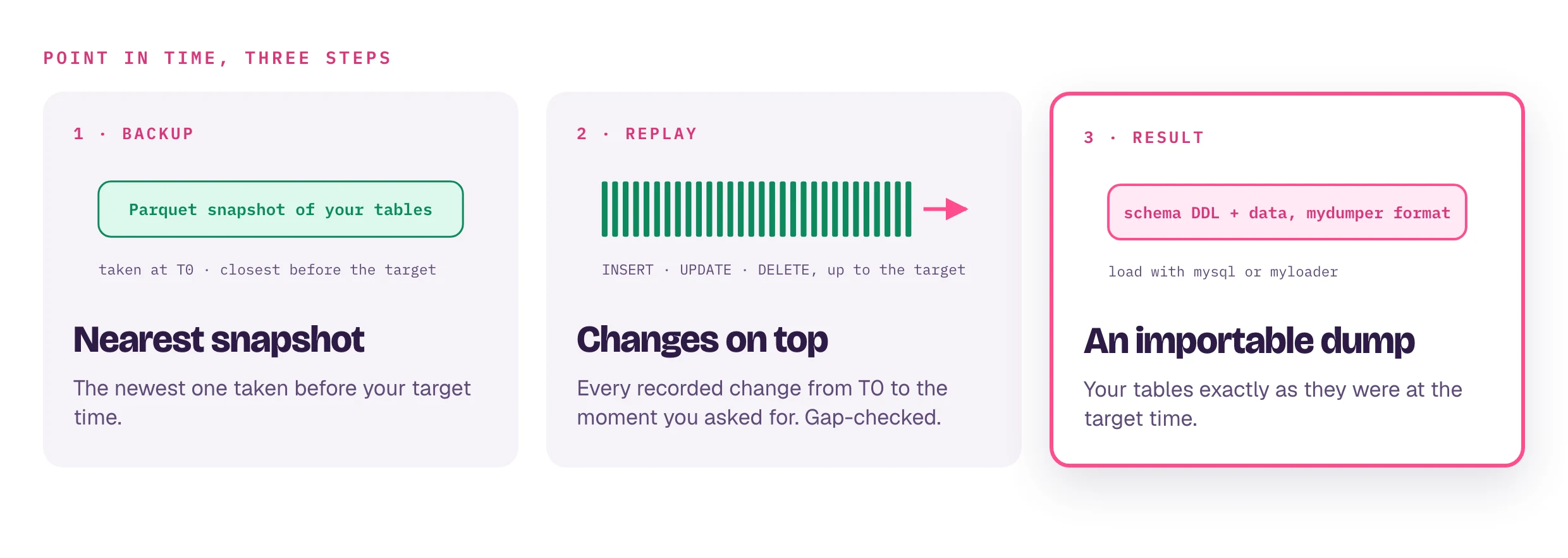
What it needs
- A backup taken before the target time: taking snapshots.
- Recorded changes covering the time from that backup to the target. Check
Status for coverage and continuity. No backup before
the target fails with
no baseline snapshot found.
From the web interface
Snapshots → Download → To load into MySQL → target time (UTC) → Build → Download .sql export (.tar.gz). Covers every table with a backup.
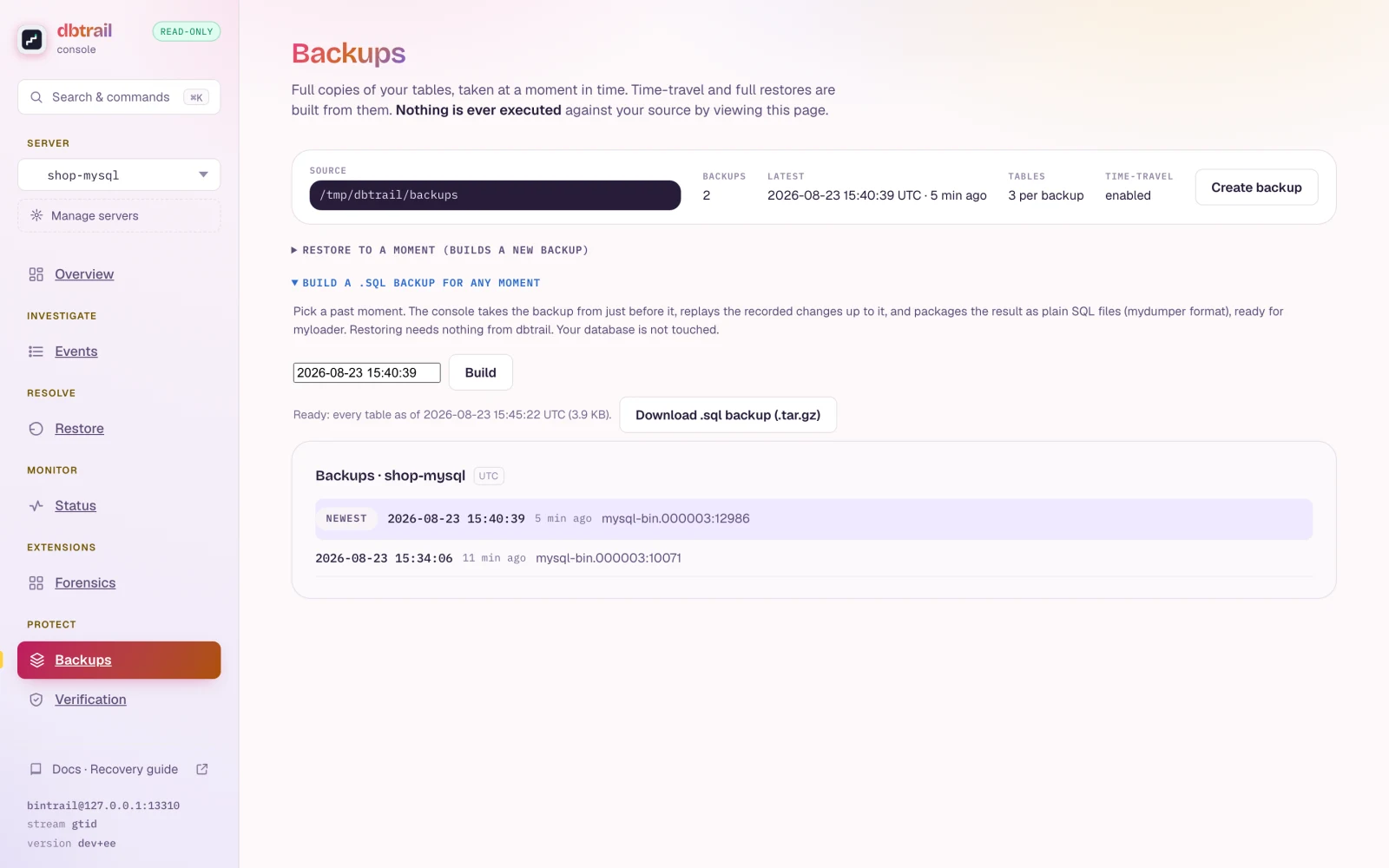
The build is a plaintext copy of your tables. It stays on the daemon's disk until the first of: your download completes, 4 hours pass unclaimed, a new build for that server starts, the daemon restarts. Staged builds, in the same To load into MySQL lane, lists what is waiting.
From the CLI
bintrail reconstruct --index-dsn "$IDX" --baseline-dir /data/backups \
  --at "2026-09-13 14:30:00" --tables shop.orders,shop.customers \
--output-format mydumper --output-dir ./pitr-output--at: second precision, UTC or RFC 3339. Changes at that second are included.--tables: fewer tables, faster and smaller.- Every flag: query and recovery reference.
A gap means wrong data
The build refuses when changes between the backup and the target are missing:
hours rotated out without an archive, downtime, purged binlogs. --allow-gaps
builds anyway, and rows changed during the gap keep their backup values.
Load it
pitr-output/
├── mydb.orders-schema.sql      # CREATE TABLE
├── mydb.orders.00000.sql       # data, chunked at --chunk-size
└── metadata                    # target time, backup binlog position and GTID set
myloader -h your-host -u your-user -p your-password -d ./pitr-output/ -o
# or file by file
mysql -h your-host -u your-user -p your_database < pitr-output/mydb.orders-schema.sql
mysql -h your-host -u your-user -p your_database < pitr-output/mydb.orders.00000.sqlReview before loading into production: that moment may hold data you no longer want. Rehearse the whole chain regularly: Data Verification.