
Dashboards
Put Metabase, or any tool that runs DuckDB, in front of the Parquet copy. Charts follow the snapshot schedule with nothing to rebuild.
 reading your DBTrail copy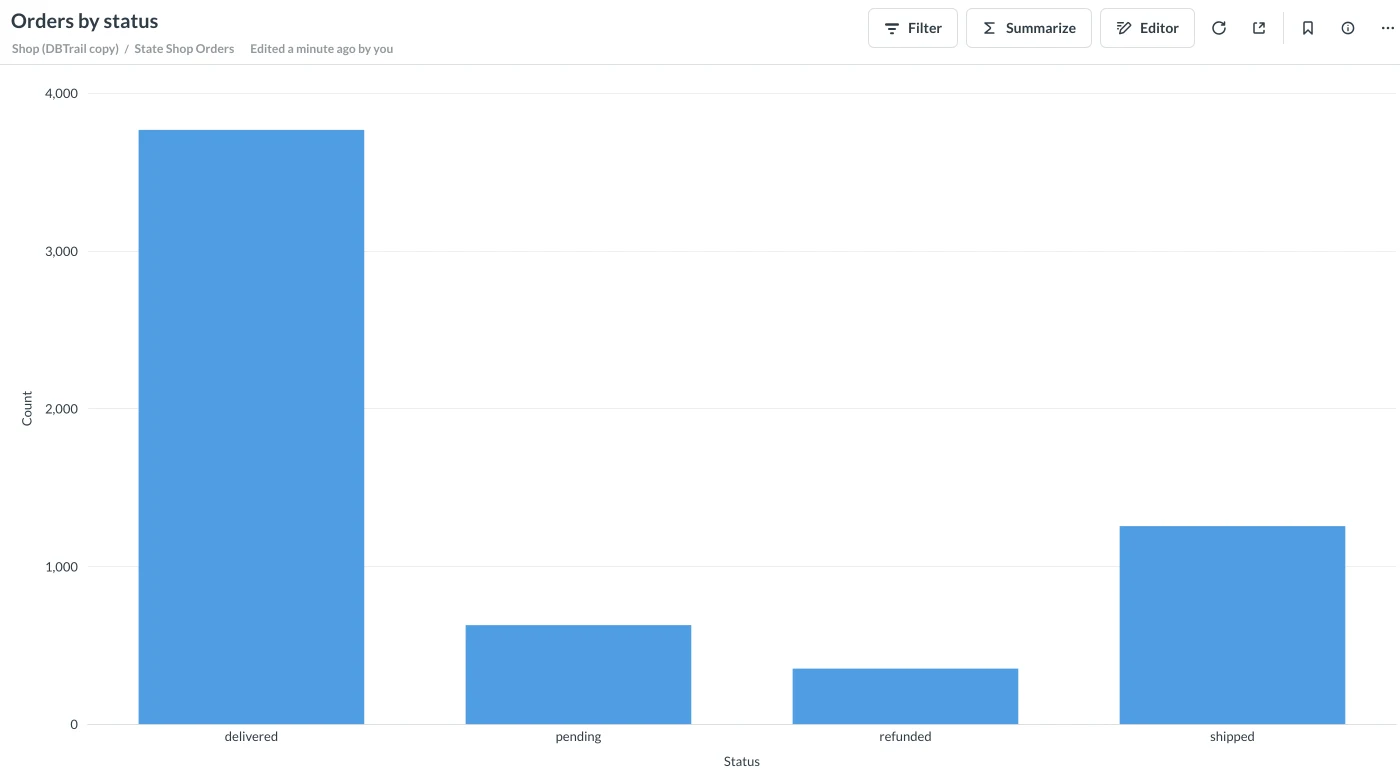
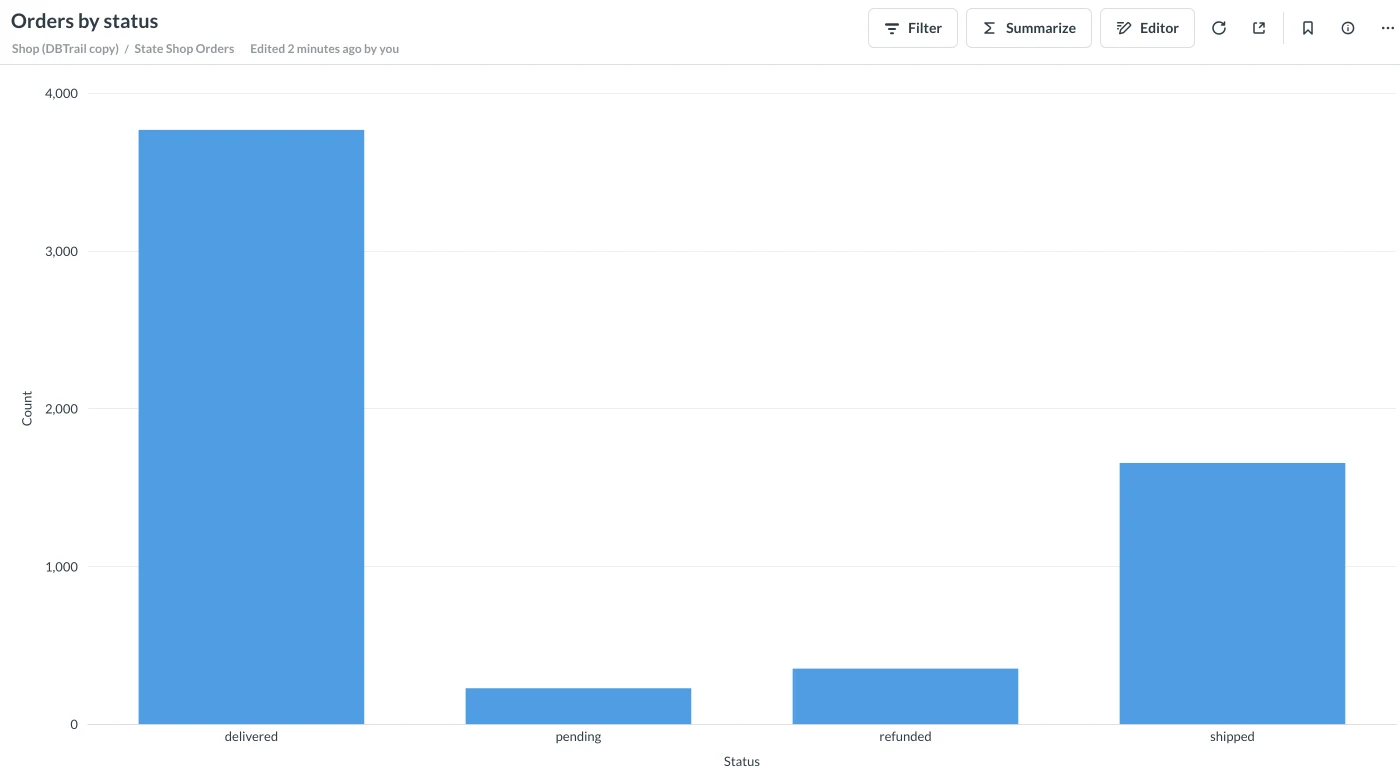
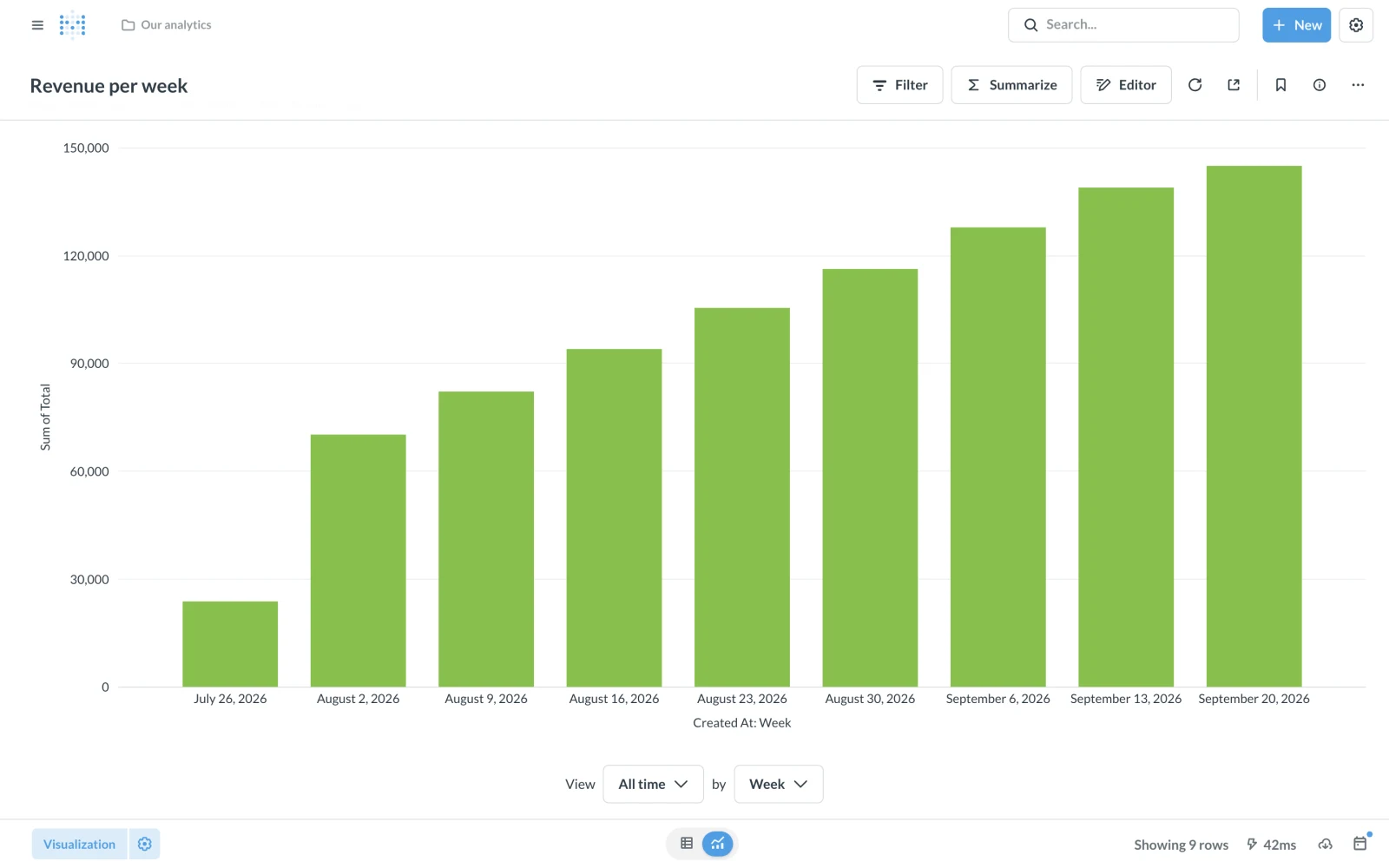
Charts in Metabase, or any tool that runs DuckDB inside itself, read DBTrail's copy instead of your production MySQL. When DBTrail updates the copy, the charts change on their own, as in the two above. Needs DBTrail v0.91.0 or later.
How it works
There is no server to connect to. The tool runs DuckDB inside itself, and DuckDB
reads the Parquet files directly. The bridge is lake.duckdb, a small file that
tells DuckDB which file each table is, as a view named state_<schema>_<table>.
It holds no data.
Before you start
- The server keeps its snapshots in a Local folder (S3 as well is fine). The tool reads that folder.
- The schedule is on: Snapshots, tab Settings, card Update the copy. Its interval is how fresh the charts are.
- The tool has to see the snapshot folder at the same path DBTrail uses,
/var/lib/bintrailon the standarddocker-compose.yml. The commands below do that.
1. Get the views file
Settings → MCP Server → Download a DuckDB schema. Leave Works on
another machine unticked. Not the views.sql inside a downloaded snapshot:
that one is frozen at its moment.

2. Build lake.duckdb
From the folder holding views.sql, on the DBTrail machine:
# <folder>_bintrail-state: the volume, prefixed with your compose folder's name (docker volume ls)
docker run --rm \
  -v <folder>_bintrail-state:/var/lib/bintrail:ro \
  -v "$PWD:/work" -w /work \
  duckdb/duckdb:1.5.5 /duckdb lake.duckdb -c ".read views.sql"
Use the same DuckDB version as the tool's driver (driver 1.5.5.0 is DuckDB
1.5.5), or the tool cannot open the file.
3. Run Metabase with DuckDB
The official Metabase image cannot load DuckDB. Build the one the driver's authors publish, with the matching version:
curl -LO https://raw.githubusercontent.com/motherduckdb/metabase_duckdb_driver/1.5.5.0/Dockerfile
docker build -t metabase-duckdb --build-arg METABASE_DUCKDB_DRIVER_VERSION=1.5.5.0 .

docker run -d --name metabase -p 3000:3000 \
  -v <folder>_bintrail-state:/var/lib/bintrail:ro \
  -v "$PWD:/bi:ro" \
  metabase-duckdb
4. Add the database
In Metabase, Admin settings > Databases > Add a database → DuckDB.
Database file: /bi/lake.duckdb, and turn on Establish a read-only
connection. Not :memory: with Init SQL: Metabase runs it before every
query, which is slow, and one missing table breaks every chart.
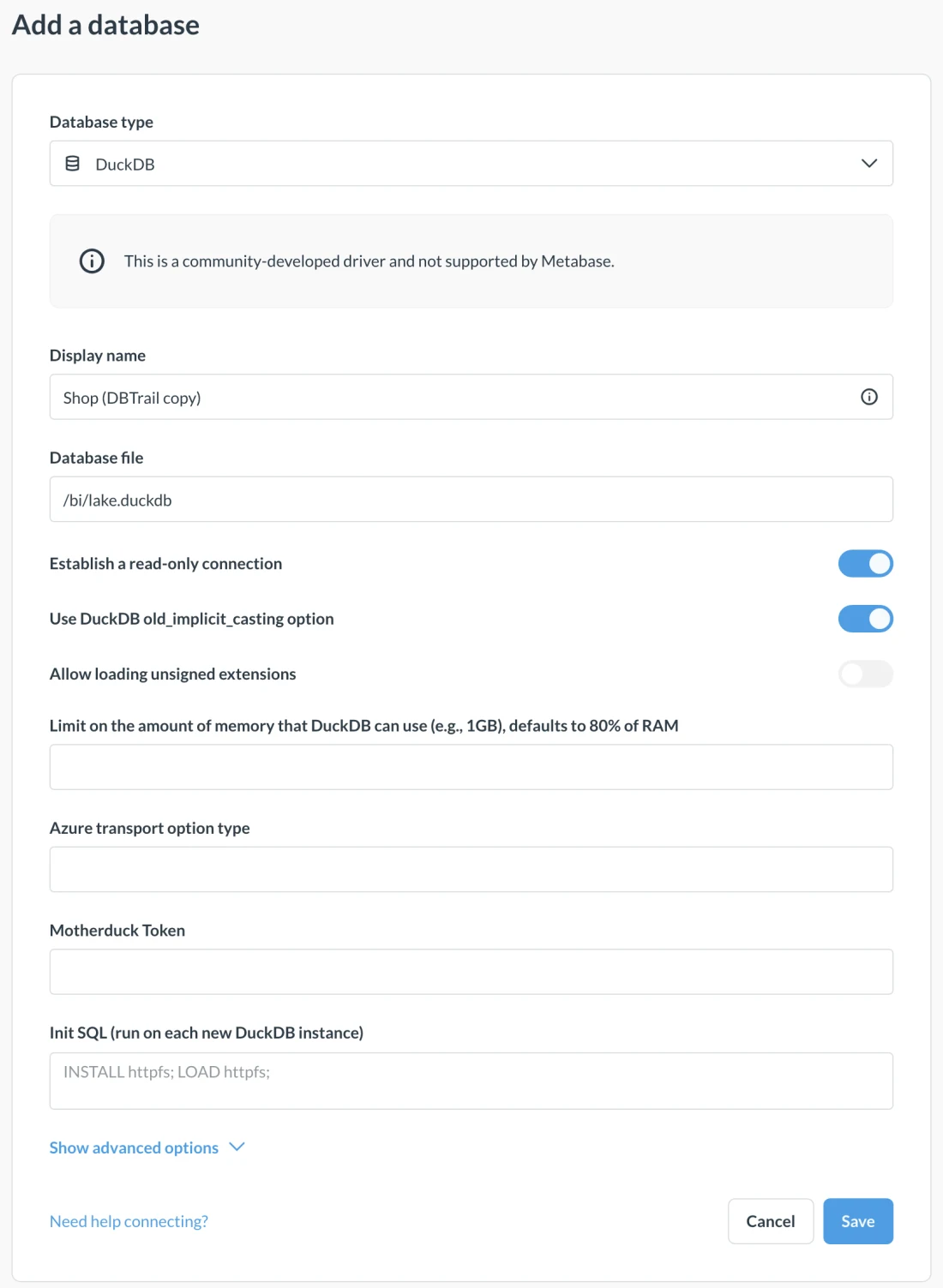
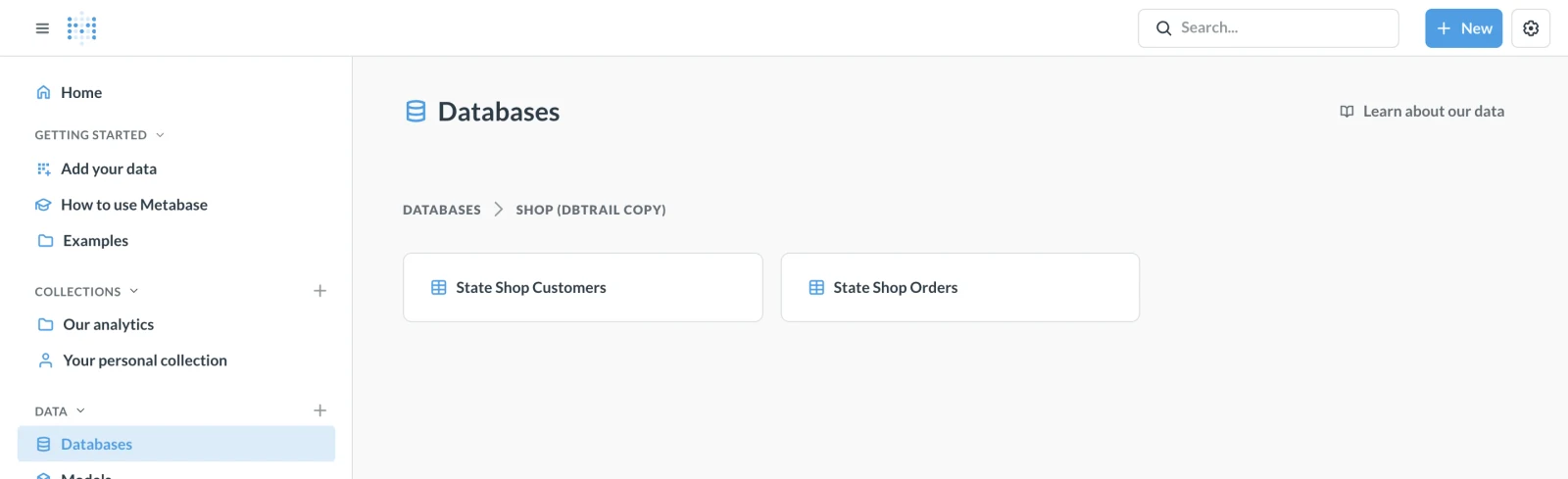
Save. Metabase lists one table per source table, named
state_<schema>_<table>, and both typed SQL and the visual query builder work
on them.
What updates on its own
- The rows, at every scheduled update. Nothing to rebuild.
- Not the list of tables. After a table is added or dropped, or a column changes type, download the views file again and repeat step 2.
Heavy dashboards use Metabase's memory, not your MySQL's; the DuckDB driver has a field to cap it. Something not working: Troubleshooting.