Streams
How dbtrail captures changes, with supervised streams managed from the console
A stream is a persistent process that connects to your database as a replication client, reads change events in real time, and indexes row-level changes (INSERT, UPDATE, DELETE) into the change index, the same footprint as one replica.
Streams are managed from the console
Adding a server with + Add server starts a supervised stream for it; no processes for you to run. The console is also where you watch and control them:
- Explicit health states. A new stream shows
PENDINGuntil it has proven it's attached and writing; only then does the badge sayRUNNING. Two unhealthy-but-alive conditions surface instead of failing silently:STALLED(connected but no progress for 5+ minutes) andLOST POSITION(the source purged its logs past the saved position; events in the gap are permanently lost, and the record persists until you explicitly clear it). - Automatic recovery. A failing stream is retried with exponential
backoff (15 s up to 5 minutes) and shows as
FAILEDwith the error. A stream that crash-loops for 6 hours stops retrying; press Start to re-arm it after fixing the cause. - Survives restarts. Every stream checkpoints its position; restart the daemon and monitoring resumes from each stream's saved checkpoint. A per-entry lock prevents a second daemon from double-streaming the same server.
- Duplicate-source warning. The add-server preflight warns (without blocking) when a new source looks like a replica of an already-monitored one: monitoring both would double-index the same changes.
Filtering
Scope a stream to specific schemas from the add/edit server form, useful when you only need certain databases, and it reduces index size and resource usage. With no filter, the stream captures all schemas and tables.
Checkpoints and freshness
Streams checkpoint their replication position every few seconds; changes are
typically visible in the index within ~10 seconds of commit. On restart, a
stream resumes from its checkpoint: no events are duplicated or lost, as
long as the source hasn't purged the logs covering the gap (that case is
exactly what the LOST POSITION state surfaces).
Monitoring
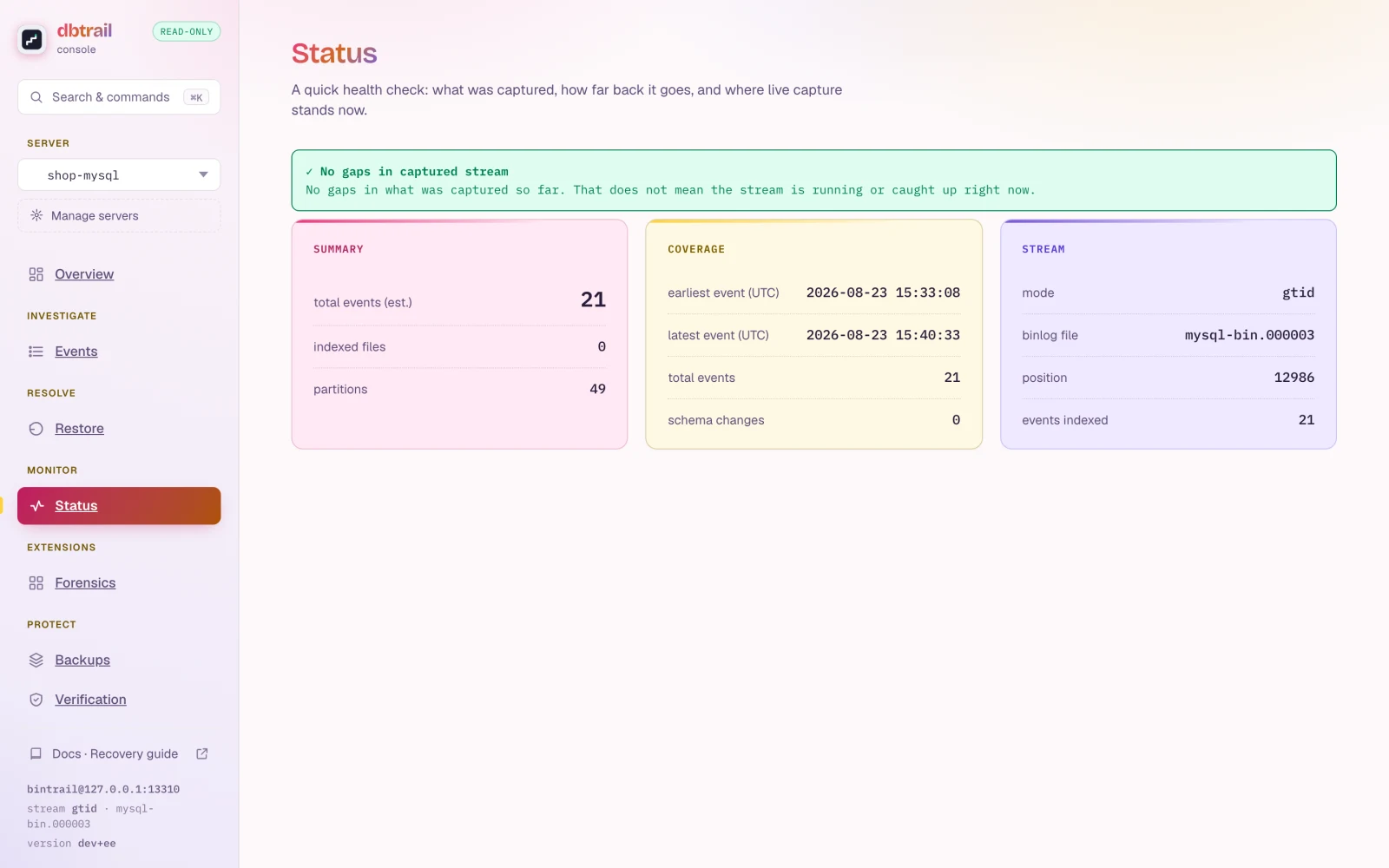
The console's Status view shows live stream state, lag, indexed coverage, and continuity per server.
For alerting, the daemon can expose one Prometheus
/metrics endpoint covering all supervised streams. See
observability.
Running streams by hand (CLI)
Headless deployments can run bintrail stream directly, with full control
over start positions (file/position or GTID), checkpoint intervals,
schema/table filters, TLS to managed MySQL (RDS, Aurora, Cloud SQL), gap
handling, and Prometheus metrics. The complete reference lives in the
repository:
- Streaming reference: flags, start positions, TLS, gap handling
- Deployment guide: ready-made systemd units
- Rotation & status:
bintrail statusfrom the terminal